
Early County Court Dockets
A docket is the court's running list of case events. It can show when a case was filed, what motions were entered, whether a hearing was scheduled, when an order was signed, and how a charge or claim was disposed. It is a roadmap, not the full file. A docket line may say that an order was entered, but the order itself may be a separate document that requires provider access, a clerk request, or a paid certified copy.
In Early County, docket access depends on the court. Superior Court handles felony, divorce, broad civil, equity, and some lower-court appeal matters. State Court can handle misdemeanors and traffic matters where that court has jurisdiction. Probate Court has estate, guardianship, conservatorship, marriage, and vital-record roles. Magistrate Court is the likely forum for many warrants, first appearances, dispossessory matters, and smaller civil claims. Blakely Municipal Court handles city traffic and local ordinance matters.
The Georgia Public Defender Council Pataula Circuit listing shows Early County's connection to the broader circuit court system.
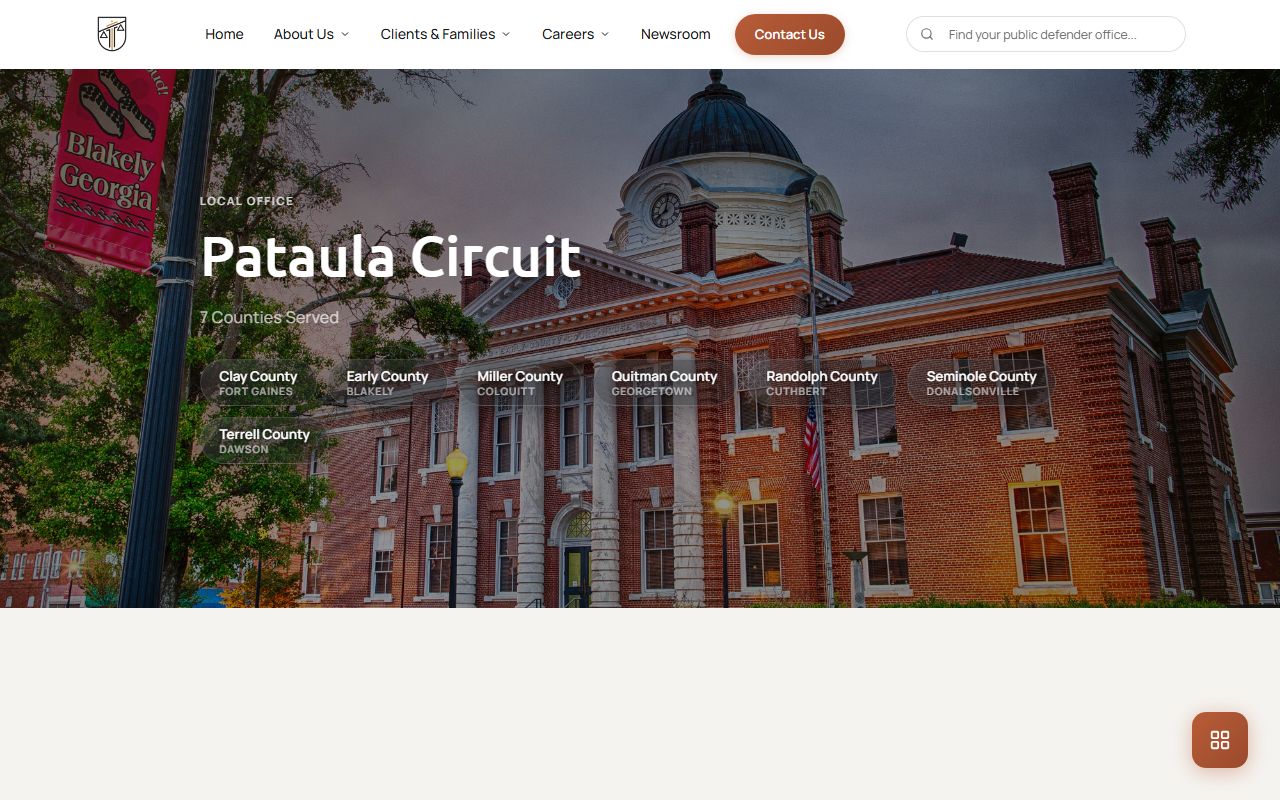
The image supports the docket-routing point because Early County cases sit within a circuit structure that includes shared prosecution, defense, and court offices.
Search Early County Court Dockets
There is no standalone Early County public docket search that covers every local court. For Superior and State matters, the Georgia Courts e-access page points to provider systems and says users must have an account. Early Superior and Early State appear in that provider access environment, and PeachCourt-style access generally works best with exact court, county, and case-number information.
When provider access is not available or does not return a result, the Clerk of Superior Court is the direct route for Superior and State docket questions. For Probate Court, Magistrate Court, and Municipal Court matters, the request should go to the court that owns the docket. This routing matters because a name-only search in the wrong office can miss the case, especially when the event is a municipal ticket, a probate estate, a warrant matter, or a restricted juvenile file.
- Decide whether the matter is Superior, State, Juvenile, Probate, Magistrate, or Municipal.
- For Superior or State cases, gather the case number, party name, filing date, and case type before using provider access or calling the clerk.
- Use Georgia Courts e-access only if account-based provider access is available and the search has enough identifiers.
- For probate, estate, guardianship, and marriage-related docket questions, contact Probate Court rather than a provider case portal.
- For small civil, dispossessory, warrant, or preliminary criminal events, check with Magistrate Court or the office identified on the paperwork.
- For Blakely tickets, use the city traffic payment or Municipal Court route because Georgia does not have one statewide citation database.
Early County Docket Entry Fields
The research did not capture a public Early County docket screen outside account-based provider access, so a sample public local docket was not available. The fields below come from the court-record inventory for Early County and describe the docket and case-status details a requester should expect to ask about when reviewing a docket or talking with a clerk.
| Field | What It Shows |
|---|---|
| Case number | The court-assigned number used to connect docket entries, filings, and documents. |
| Court | Superior, State, Juvenile, Probate, Magistrate, or Municipal Court. |
| Filing date | The date the case, pleading, petition, citation, or charge was filed. |
| Case type | Civil, domestic, criminal, probate, traffic, juvenile, magistrate civil, dispossessory, warrant, or related category. |
| Status | Open, pending, disposed, closed, dismissed, transferred, sealed, restricted, or another status used by the court. |
| Parties | The listed roles, such as plaintiff, defendant, state, petitioner, respondent, estate, decedent, applicant, ward, minor, or garnishee. |
| Docket entry | A filing, hearing, notice, order, continuance, judgment, sentencing entry, disposition event, or other case action. |
| Hearing | Date, time, judge, hearing type, and continuance status if those details are posted or available from the clerk. |
| Disposition | The outcome of a claim, charge, petition, or case, such as dismissed, granted, denied, convicted, acquitted, or closed. |
| Redaction or restriction | Whether public access is limited because of sealed material, protected identifiers, juvenile status, adoption, or another restriction. |
Early County Court Docket Routing
Court routing is the main issue in Early County docket access. The Clerk of Superior Court manages Superior, State, and Juvenile Court records, but the public cannot treat those three categories the same way. Superior and State docket questions may be handled by the same clerk office, while juvenile files are restricted. Probate and Municipal matters are routed elsewhere, and no detailed local Magistrate Court page was found during research.
Early County is part of the Pataula Judicial Circuit. The circuit includes Clay, Early, Miller, Quitman, Randolph, Seminole, and Terrell counties. The circuit lists Superior Court judges serving the area and a Juvenile Court judge for several counties including Early. That circuit setting explains why some parties see Pataula Circuit forms, judges, prosecution, or public defender contacts even though the case is an Early County case.
| Court / Office | Docket Role | Access Route |
|---|---|---|
| Early County Superior Court | Felony, divorce, broad civil, equity, and appeals from lower courts | Clerk of Superior Court, provider access when available |
| Early County State Court | Misdemeanor and traffic matters where applicable | Clerk of Superior Court, provider access when available |
| Early County Juvenile Court | Delinquency, dependency, CHINS, and juvenile matters | Managed through the clerk, but public access is restricted |
| Early County Probate Court | Estates, wills, guardianships, conservatorships, marriage, and vital-record office functions | Probate Court at Suite D |
| Early County Magistrate Court | Warrants, first appearances, small civil, and dispossessory matters | Direct court or office contact because no full local page was located |
| Blakely Municipal Court | Municipal traffic and local ordinance cases | City Hall, Government Window, or Municipal Court Clerk route |
Early County Dockets vs Case Files
The docket and the full case record answer different questions. A docket can confirm that a motion was filed, a hearing was set, or a disposition was entered. The full case file contains the document itself, such as the complaint, indictment, motion, order, judgment, sentence, divorce decree, probate petition, or bond order. A person checking only docket lines may know that something happened without seeing what the judge signed or what a party filed.
That distinction affects copy requests. If the need is to track progress, docket entries may be enough. If the need is proof for court, title work, employment, licensing, family matters, or a filing deadline, ask for the specific document and whether certification is needed. The broader Early County court records file may include pages that are not visible in a short docket view.
| Point of Comparison | Docket | Full Case Record |
|---|---|---|
| Format | Chronological list of case events | Case documents plus docket activity |
| Best use | Track status, hearings, filings, and disposition | Review pleadings, orders, evidence records, judgments, and certified copies |
| Access | May be available through provider access or clerk inquiry | May require account access, clerk processing, copy fees, or redaction review |
| Limits | Often summarizes events without showing full text | Can include sealed, restricted, or redacted material not released to the public |
Read Early County Docket Status
Docket terms can be short. A motion is a request for a court order. An order is the judge's written direction. A judgment is a final or enforceable decision on a claim. A disposition is the outcome of a charge, claim, petition, or case. A continuance is a postponed hearing or deadline. In criminal dockets, an indictment is a grand-jury charging document, and an accusation is a prosecutor's charging document used in some non-indictment cases.
Disposition should be read with care. A dismissed count is not the same as a conviction. A charge can be reduced, transferred, dead docketed, dismissed, or resolved by plea or trial. In civil and probate matters, a granted petition, consent order, judgment, dismissal, or discharge can end a filing or close a stage without making every document public. When a docket line is unclear, ask the clerk for the exact entry or document title instead of relying on shorthand.
- Docket
- The chronological list of filings and events in a case.
- Disposition
- The outcome of a charge, claim, petition, or case.
- Continuance
- A postponed hearing, deadline, or court event.
- Order
- A judge's written direction resolving a request or controlling a case.
- Judgment
- The court's final or enforceable decision on a claim.
Note: A docket entry can confirm an event, but the underlying order or filing may require a separate copy request.
Limits on Early County Dockets
Some Early County dockets are not public in the same way as adult civil or criminal dockets. Juvenile court files are restricted under Georgia juvenile law. Adoption records are sealed. Protected identifiers in family violence and stalking protective-order files may be sealed or redacted. Criminal-history restriction under O.C.G.A. 35-3-37 affects non-criminal-justice disclosure of qualifying criminal-history information, although court files and law-enforcement records may follow separate procedures.
Georgia's public access rules also do not require an office to create a new report when no record exists. Under O.C.G.A. 50-18-70 and 50-18-71, public records are broadly open unless exempt, but agencies may respond with timing and cost information when records are not immediately available. For court files, Uniform Superior Court Rule 21 keeps court records public unless access is limited by law or court order.
Direct contact is often the best final check. For Superior and State docket questions, the Clerk of Superior Court is at 111 Court Square, Suite C, Blakely, GA 39823, with phone 229-723-3033 and hours from 8:00 AM to 5:00 PM, Monday through Friday. Probate Court is at Suite D for estate and guardianship docket questions. Blakely Municipal Court and Government Window handle many city traffic payment questions.
For general trial-court jurisdiction and routing, the Early County Superior Court overview can help separate Superior Court matters from lower-court dockets.